
Best Monitor Light Bars for 27-Inch Monitors: Top 3 Compared
By Mike Rodriguez · September 12, 2026 · 7 min read
This page contains affiliate links. If you buy through them, we may earn a commission at no extra cost to you. As an Amazon Associate I earn from qualifying purchases. Learn more · How we compare
A monitor light bar clips to the top of your screen and lights the desk in front of it, without the glare a desk lamp throws across the panel. On a 27-inch monitor the things that decide the choice are the clamp range, how wide the light spreads, and whether you can adjust it without reaching over the screen. These three cover the range from budget to premium.
Which One Should You Get?
- Best for most 27-inch desks – Quntis Monitor Light Bar PRO+ – the one to start with if you want remote control and a clamp that fits almost any panel.
- Best for a set-and-forget desk – BenQ ScreenBar – a no-fuss bar that dims itself and gets out of the way.
- Best for late nights and color work – BenQ ScreenBar Halo 2 – the premium option, and the only one here with a backlight and a separate controller.
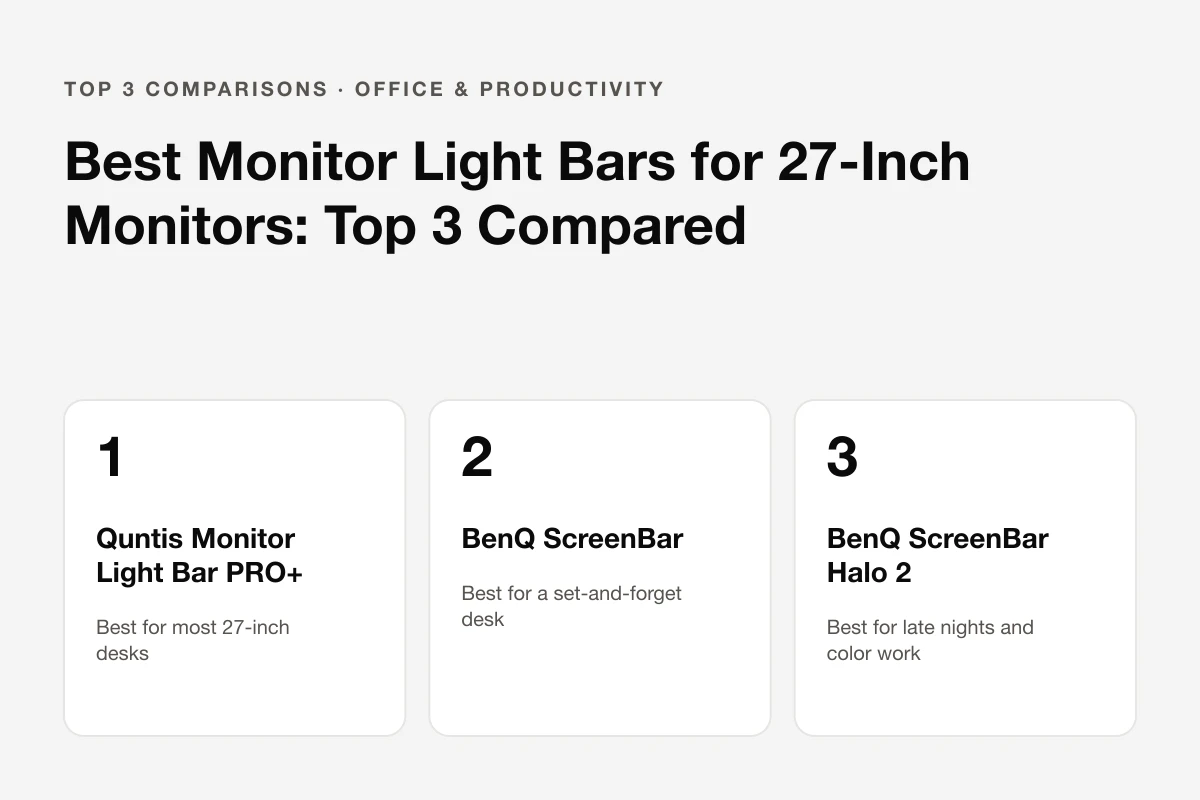
Budget, simple and premium: the three picks at a glance
Pros
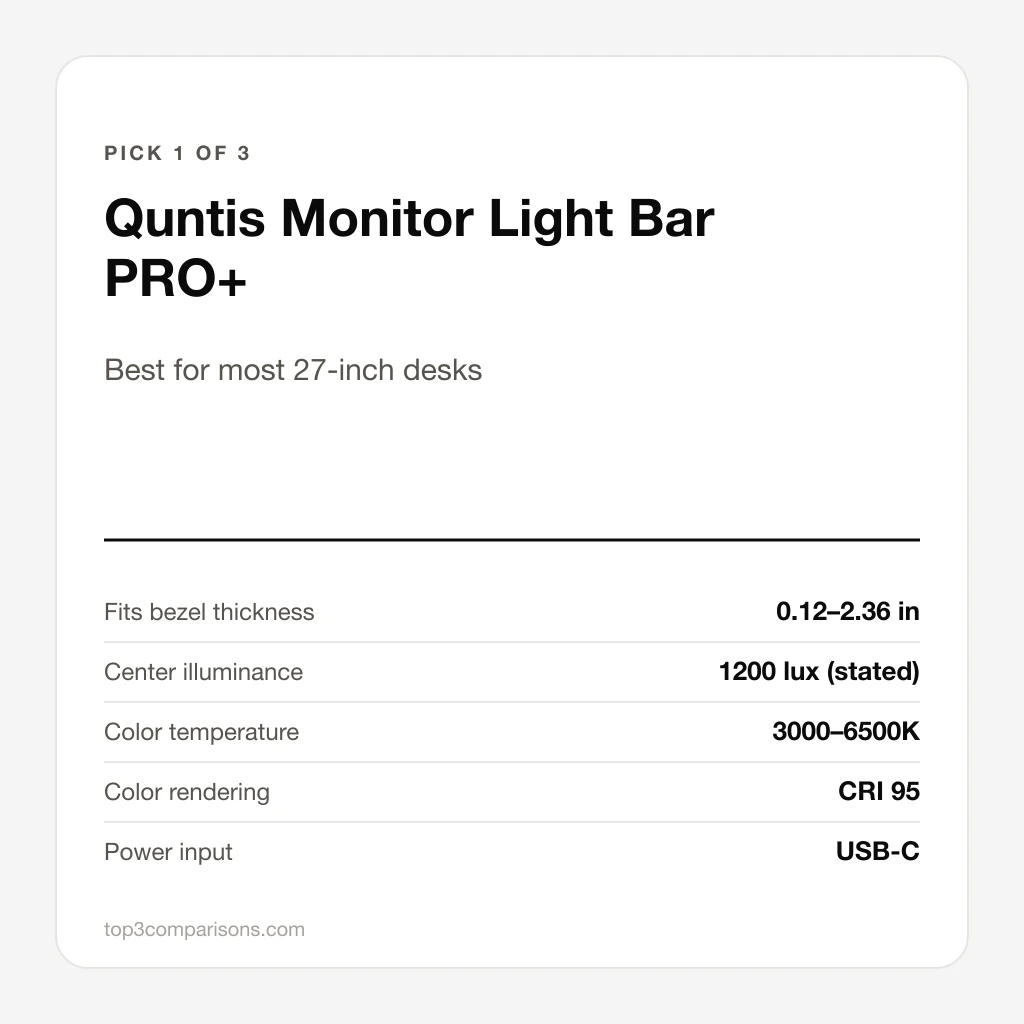
- Widest clamp range of the three, from thin to thick bezels
- Wireless remote with stepless brightness and color temperature
- Ambient sensor for auto-dimming, plus a rest timer
- Rated for curved panels, including ultrawides
- CRI 95 color rendering, matching the premium bars on paper
Cons
- No rear backlight
- Plastic clamp base rather than an all-metal body
- Brightness figures come from the manufacturer, with no independent measurement published
Unique Features & Insights
Pros
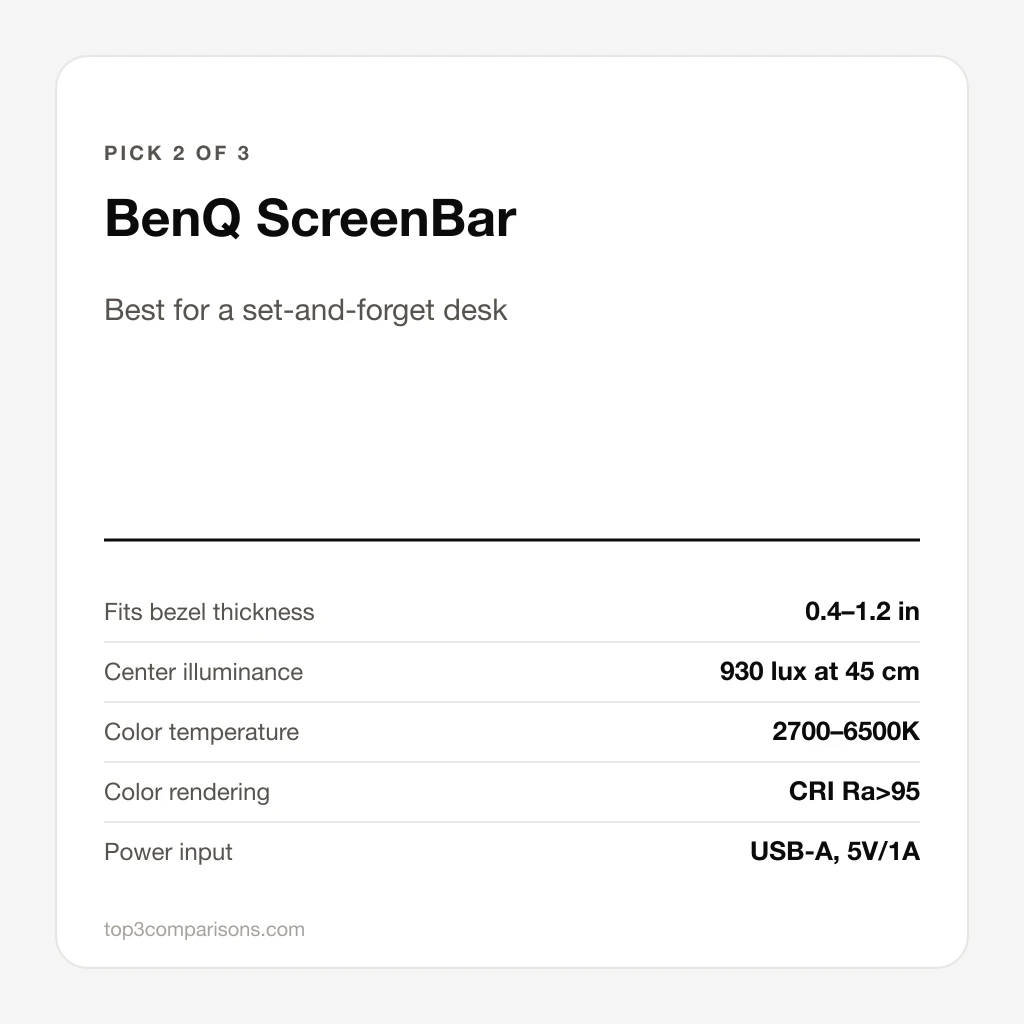
- Ambient sensor holds the desk near 500 lux on its own
- Flicker-free and blue-light certified by BenQ
- Runs from an ordinary 5V/1A USB port
- The most written-about bar in the category, so quirks are well documented
Cons
- Controls sit on the bar, so changing them means reaching over the monitor
- Clamp is designed for flat panels with 1–3 cm bezels only
- No rear backlight and no remote
Unique Features & Insights
Pros
- Tri-zone rear backlight, far wider than the previous generation
- Rechargeable wireless controller, quoted at about three months per charge
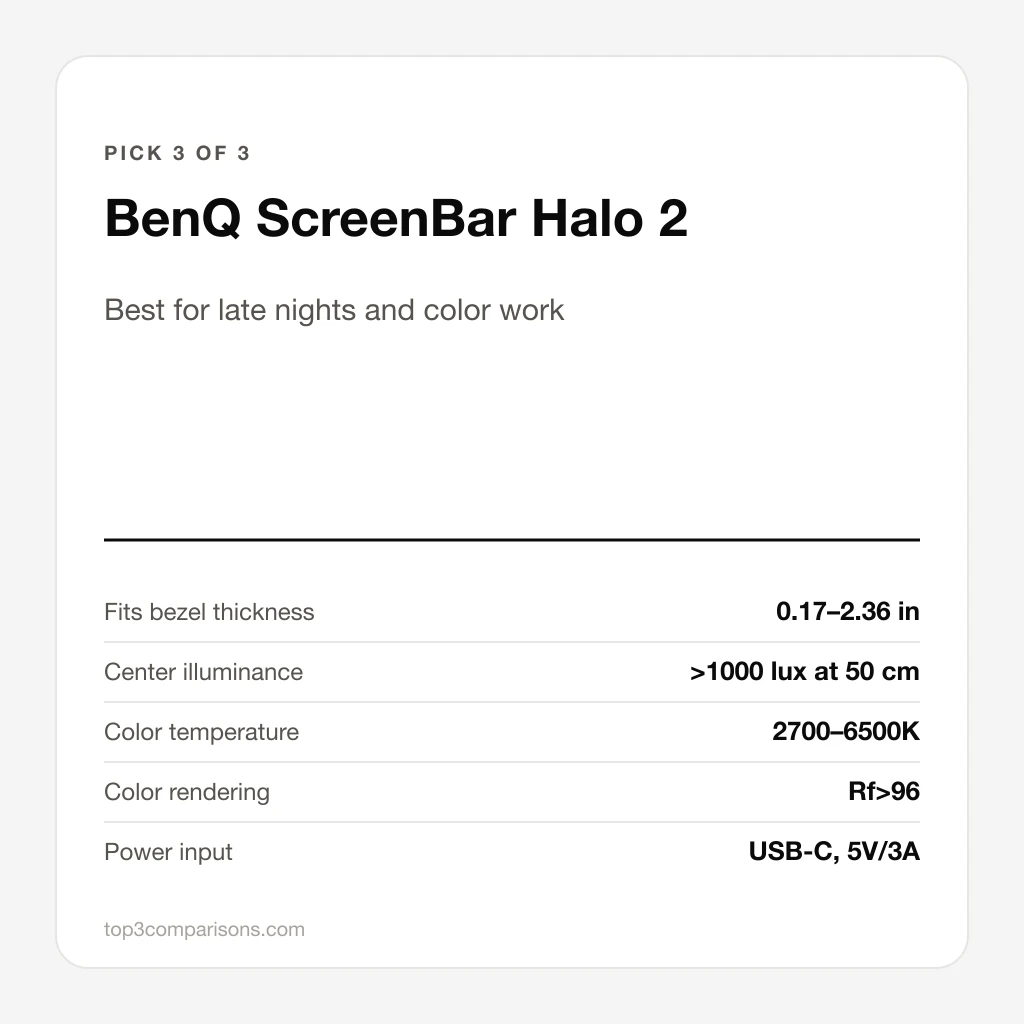
- Widest clamp range, covering curved panels from 1000R to 1800R
- Highest light output and color fidelity of the three, at Rf>96
- Ultrasonic sensor wakes the light when you sit down
Cons
- By far the most expensive of the three
- Needs USB-C at up to 3A, which a monitor port may not supply
- One comparison reports the clip loosening over time on thick bezels
Unique Features & Insights
Final Comparison Table
Pick by how you work rather than by the spec sheet: the Quntis covers most desks for the least money, the BenQ ScreenBar is the set-and-forget option, and the Halo 2 is the one to get if you work after dark or care about color. Check current availability through the links above.
Frequently Asked Questions
Will a light bar fit a 27-inch monitor?
Yes. All three bars here are 45 to 51 cm wide, which is narrower than a 27-inch panel, and the clamp sits on top of the bezel. What matters more than screen size is bezel thickness: the BenQ ScreenBar takes 1 to 3 cm, while the Quntis PRO+ and the Halo 2 go down to about 0.3 cm and up to 6 cm.
Do monitor light bars work on curved monitors?
The Quntis PRO+ and the ScreenBar Halo 2 are both specified for curved panels, with the Halo 2 rated for a 1000R to 1800R curve. The original BenQ ScreenBar is aimed at flat monitors with thinner bezels.
Do they cause glare on the screen?
All three use an asymmetric optical design that aims the light down onto the desk rather than at the panel, which is the whole reason to choose a light bar over a desk lamp. Glare usually comes back when the bar is tilted too far forward, so the angle is worth setting once, carefully.
Can I power one from the monitor's USB port?
The original ScreenBar draws 5V/1A and is designed for a standard USB port. The Halo 2 asks for USB-C at up to 3A, and the Quntis PRO+ is also USB-C, so a monitor's low-power USB port may run the front light but not the backlight at full brightness. A wall adapter avoids the problem.
Is the rear backlight worth paying for?
It matters in a dark room: the glow behind the monitor reduces the contrast between a bright screen and a dark wall. In a room with normal lighting it adds little, which is why the two cheaper bars here skip it.
Will the bar block a webcam mounted on the monitor?
A bar and a clip-on webcam compete for the same strip of bezel. BenQ sells a webcam adaptor for the ScreenBar family, and the usual alternative is to move the camera to a small tripod beside the screen.
New comparisons, straight to your inbox
Get a short email when we publish a new product comparison. No daily noise.
Related Posts
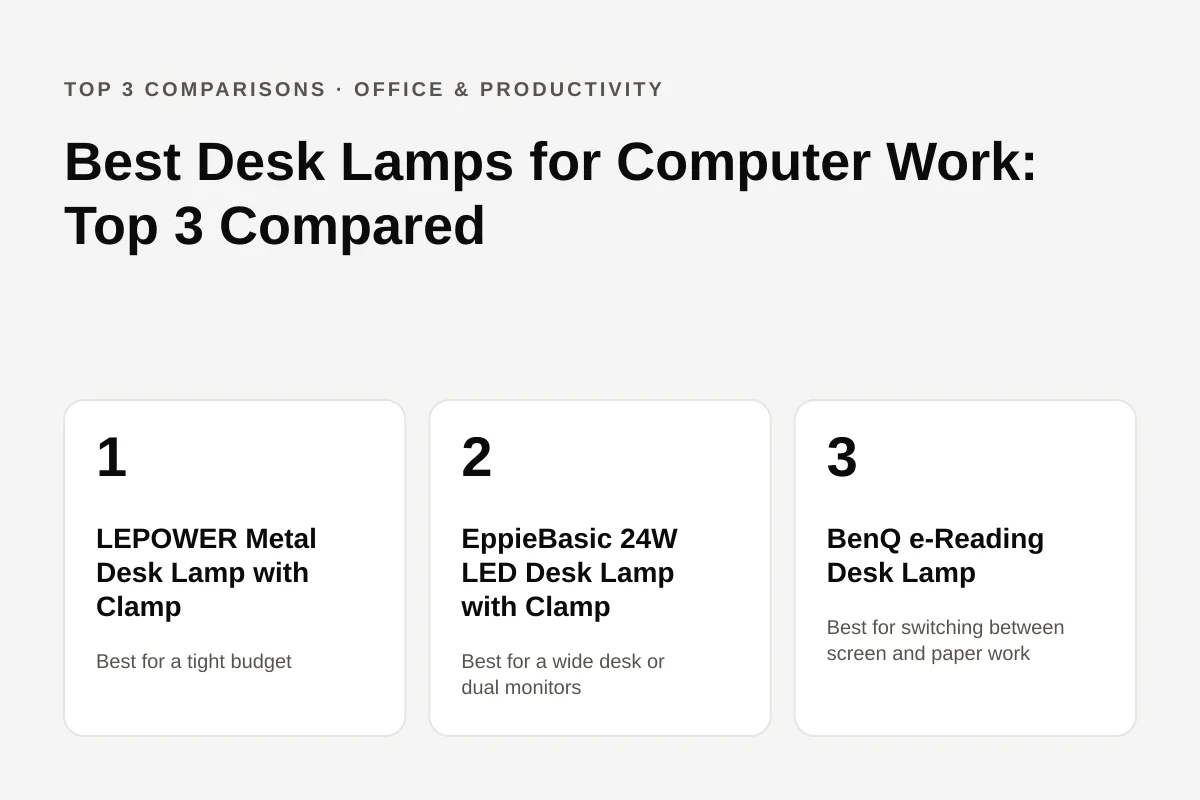
Best Desk Lamps for Computer Work: Top 3 Compared
A desk lamp for computer work has to light the keyboard and desk without throwing glare onto the screen. Three models compared: LEPOWER's budget clamp gooseneck, EppieBasic's wide 24W bar, and BenQ's auto-dimming e-Reading lamp.
Best Over-Ear Noise-Canceling Headphones in 2025: Sony WH-1000XM5 vs Bose QuietComfort Ultra vs Sennheiser Momentum 4 Wireless Compared
Compare three top-rated over-ear noise-canceling headphones—Sony WH-1000XM5, Bose QuietComfort Ultra, and Sennheiser Momentum 4 Wireless—and discover which pair best matches your listening style.

Best Travel Backpacks for Women: MATEIN vs Travelpro vs Osprey Fairview
A 19-liter under-seat pack, a 40-liter budget carry-on with a shoe compartment and a 40-liter women's-fit pack with an adjustable torso are compared on size, laptop fit and weight.