
Best Monitor Arms for 27-Inch Monitors: Top 3 Compared
By Mike Rodriguez · September 30, 2026 · 8 min read
This page contains affiliate links. If you buy through them, we may earn a commission at no extra cost to you. As an Amazon Associate I earn from qualifying purchases. Learn more · How we compare
Most 27-inch monitors weigh less than the weight limit of any of these three arms, so weight is not what separates them. What does: whether you want one screen or two, how far the arm reaches and how high it lifts, and what the maker promises if it fails. The three here are a budget single arm, a budget dual stand and a premium single arm with a 10-year warranty.
Which One Should You Get?
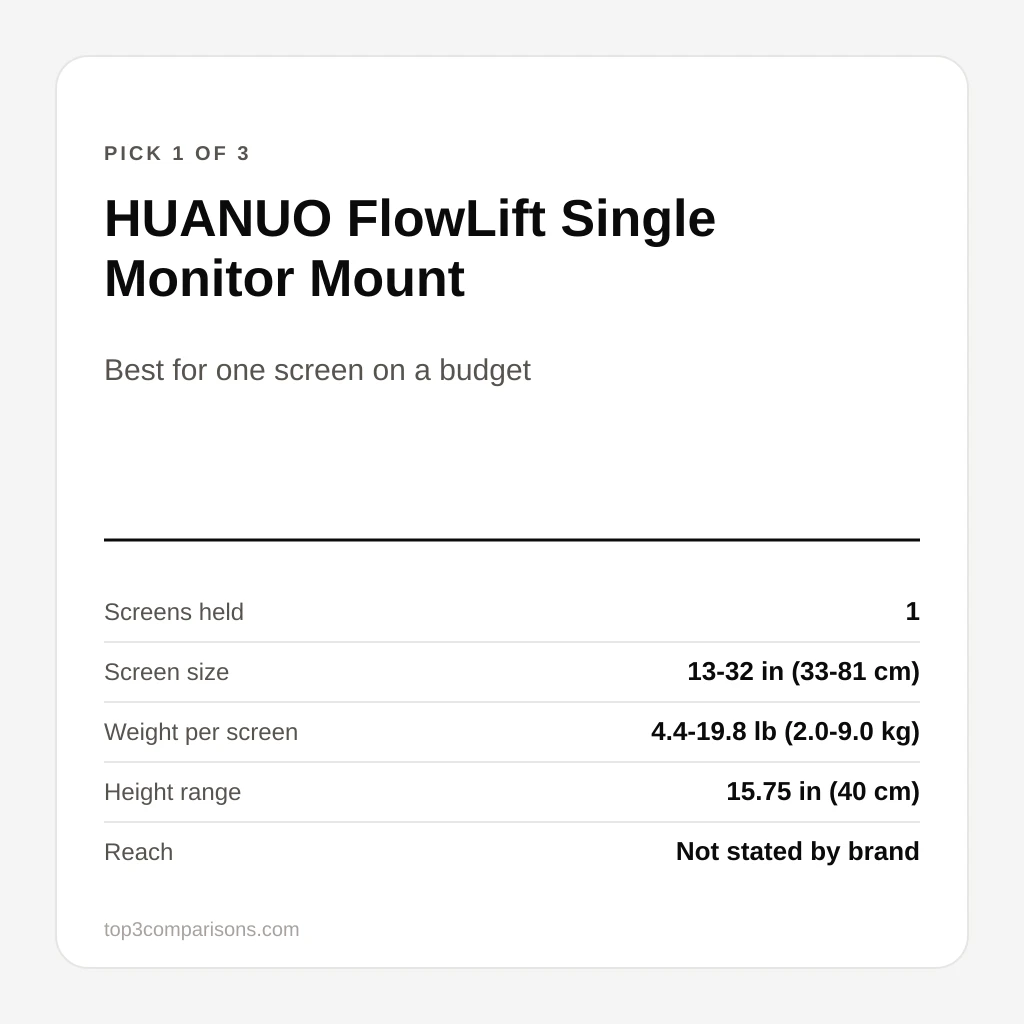
- Best for one screen on a budget – HUANUO FlowLift Single Monitor Mount – a gas-spring single arm with a 5-year warranty at a budget price.
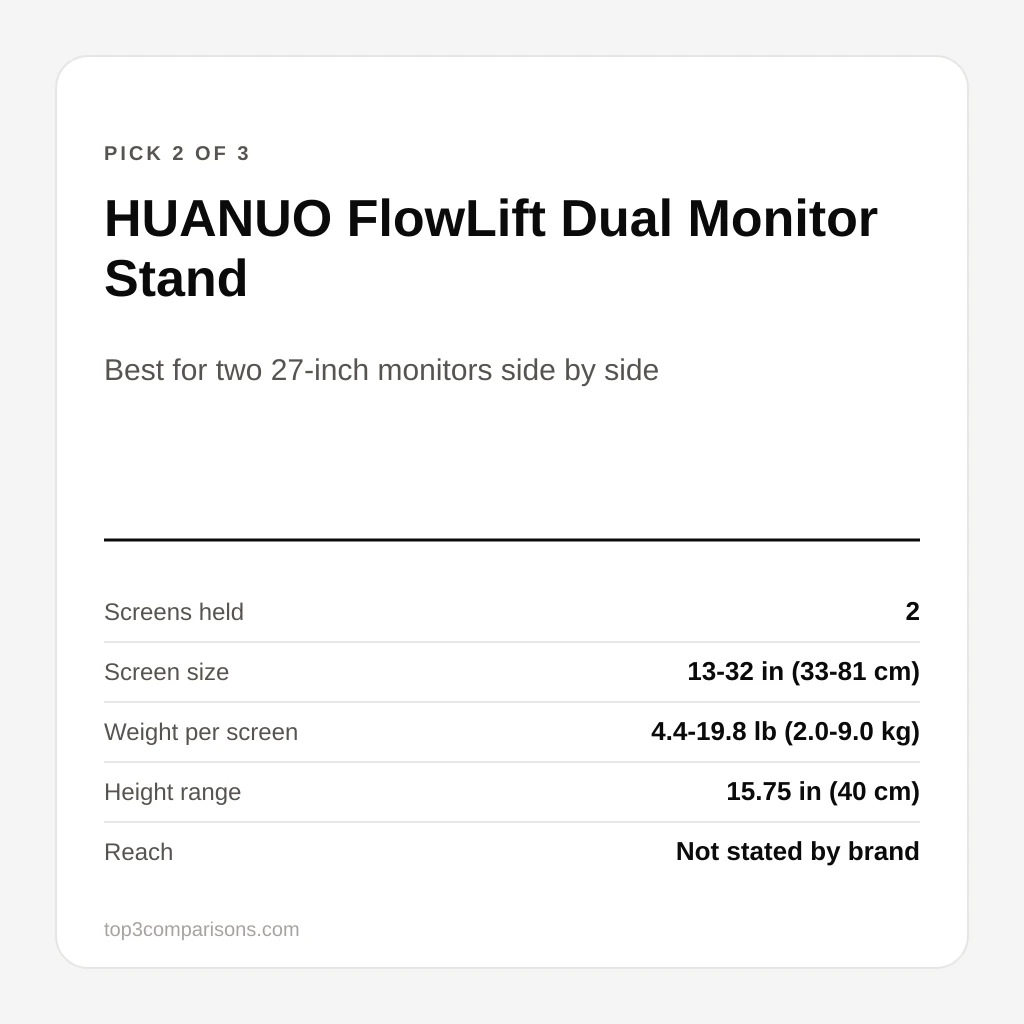
- Best for two 27-inch monitors side by side – HUANUO FlowLift Dual Monitor Stand – the budget way to hold two screens on gas-spring arms.
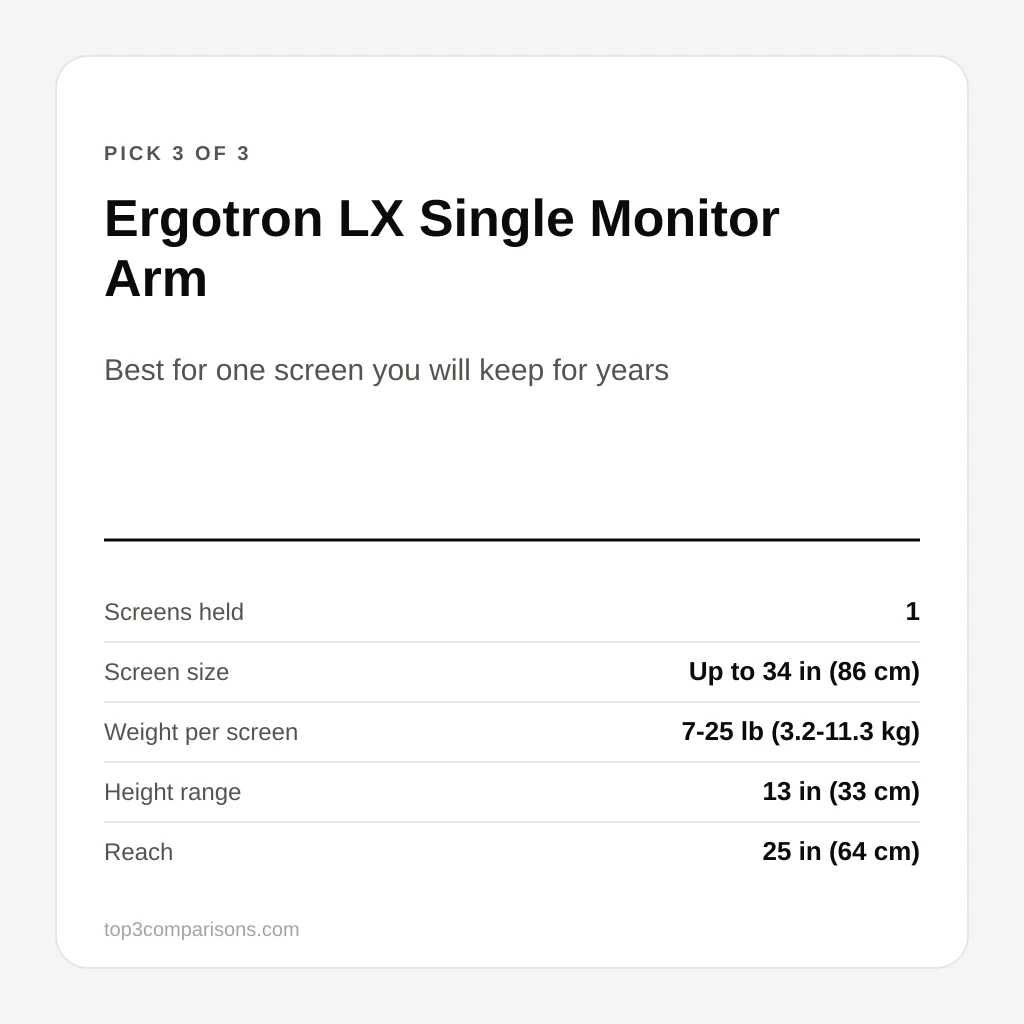
- Best for one screen you will keep for years – Ergotron LX Single Monitor Arm – the premium single arm with the longest reach and a 10-year warranty.
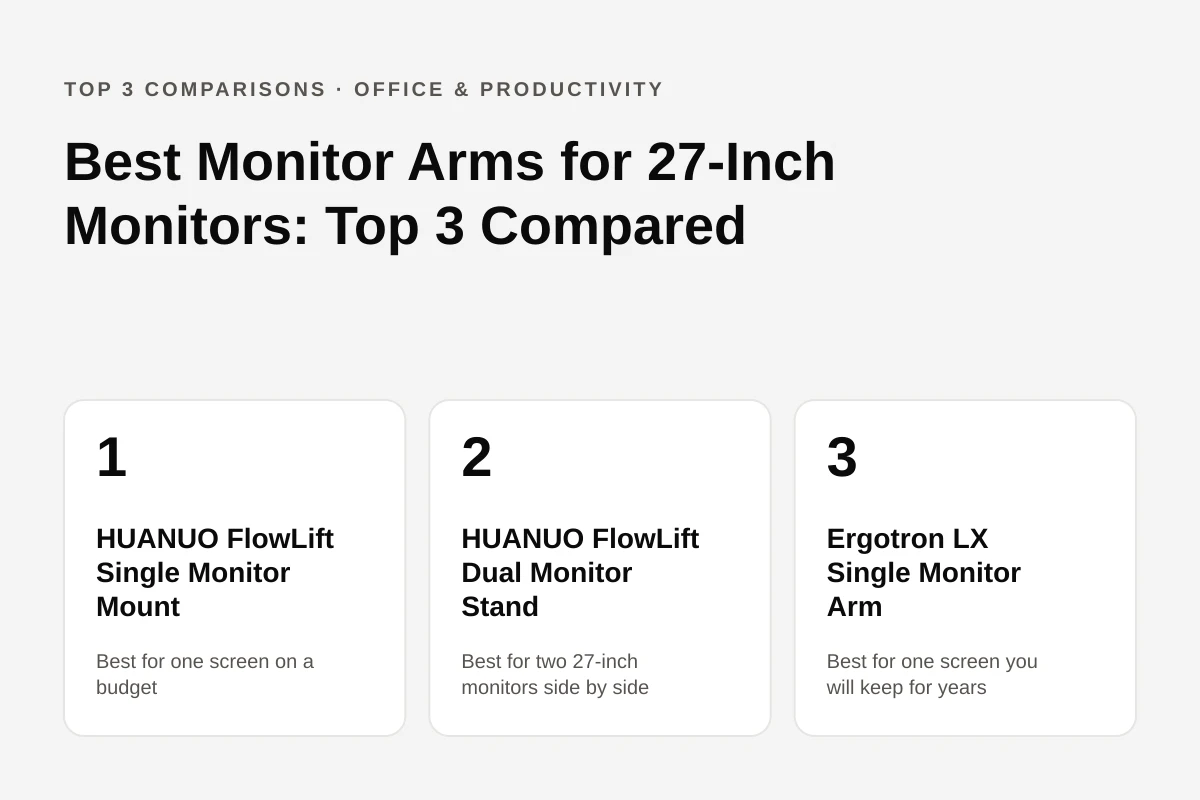
One screen or two, budget or premium: the three arms side by side
Pros
- Gas-spring arm with 15.75 in of height range, more lift than the Ergotron LX
- Holds 4.4 to 19.8 lb, plenty for a 27-inch panel
- Clamp and grommet base both included
- 5-year warranty, long for a budget arm
- A reviewer found the arm and clamp beefy and well-machined, and the monitor stayed put once positioned
Cons
- Cable-management plastic feels cheap and holds few wires
- Reach is not stated by the brand
- A budget-arm roundup notes reduced stability when fully extended
- Holds one screen only
Unique Features & Insights
Pros
- The only one of the three that holds two screens
- Each arm holds 4.4 to 19.8 lb, enough for two 27-inch monitors
- 15.75 in of height range and full tilt, swivel and rotation on each arm
- Reviewer found it a 10-minute install with solo-friendly VESA plates
- Clamp fits desks from 0.59 to 3.54 in thick
Cons
- Cable-management screws are stiff and prone to stripping
- Not for glass, plastic or cross-beam desks
- PCWorld says the two-clamp design complicates installation
- Warranty and reach are not stated on the listing
Unique Features & Insights
Pros
- 25 in of reach, the longest of the three
- 10-year warranty
- Fits screens up to 34 in, including ultrawides, up to 25 lb
- Clamp and grommet mount plus hex key in the box
- One review found it best overall, scoring it 9.1/10
Cons
- Costs two to three times more than generic arms, per one review
- Tension counterbalance, not gas spring, and needs tuning with a hex key
- Only 13 in of height range
- Captive VESA screws make solo install hard with heavier monitors
Unique Features & Insights
Final Comparison Table
Start with the number of screens. Two 27-inch monitors side by side: the HUANUO FlowLift Dual is the only one of the three that holds both, and its per-arm limit of 19.8 lb is well above a typical 27-inch panel. One screen on a budget: the HUANUO FlowLift Single gives 15.75 in of lift and a 5-year warranty for far less than the Ergotron, with cable clips that reviewers call the weak spot. One screen and you want to buy once: the Ergotron LX has the longest reach (25 in), a 10-year warranty, and its owner ratings are the best documented of the three (2,374 Amazon ratings at 4.6/5 in one analysis), but it uses a tension counterbalance you set with a hex key and it costs several times more. Check current availability through the links above.
Frequently Asked Questions
Can these arms hold a 27-inch monitor?
Yes. The HUANUO single and each arm of the dual stand are listed for 13 to 32 inch screens weighing 4.4 to 19.8 lb, and the Ergotron LX for screens up to 34 inches weighing 7 to 25 lb. Check your monitor's own weight in its spec sheet against the lower limit too: an arm set for a heavier screen can drift upward under a light one.
Do I need a VESA-compatible monitor?
Yes, all three attach through the VESA pattern on the back of the monitor. All three list 75x75 mm and 100x100 mm, the two patterns most 27-inch monitors use. A monitor without VESA holes needs an adapter.
Which one reaches furthest?
The Ergotron LX extends 25 inches from its pole according to a review that lists its specs. HUANUO does not state a reach for the FlowLift single or dual on the listing, so it is marked "not stated by brand" in the table.
What is the difference between a gas-spring and a tension arm?
The HUANUO arms use a gas spring that lets the screen float and hold position once set. The Ergotron LX uses a mechanical tension counterbalance that is tuned once with a hex key, taking about 15 minutes according to one review, and is not gas-assisted.
Will the clamp fit my desk?
The HUANUO dual is listed for desks 0.59 to 3.54 inches thick and one review says not to use it on glass, plastic or desks with cross beams. A review of the Ergotron LX notes its clamp needs a flat desk edge. All three also ship with a grommet mount option, which suits a desk with a hole.
How long are the warranties?
The HUANUO single carries a 5-year warranty according to an independent review, and Ergotron backs the LX for 10 years. Budget arms in general are flagged by reviewers as more likely to have spring problems, so the length of the promise matters.
Is cable management any good?
It is the most common complaint on the HUANUO arms: a review says the plastic feels cheap, PCWorld calls it finicky and limited in how many wires it holds, and another review says the screws are stiff and prone to stripping. The Ergotron LX has integrated clips along the arm that owners describe as keeping cables tidy.
New comparisons, straight to your inbox
Get a short email when we publish a new product comparison. No daily noise.
Related Posts
Best Desk Lamps for Computer Work: Top 3 Compared
A desk lamp for computer work has to light the keyboard and desk without throwing glare onto the screen. Three models compared: LEPOWER's budget clamp gooseneck, EppieBasic's wide 24W bar, and BenQ's auto-dimming e-Reading lamp.
Best Monitor Light Bars for 27-Inch Monitors: Top 3 Compared
A 27-inch monitor needs a bar that clears the bezel, lights the desk instead of the screen, and stays out of the webcam's way. Three models compared: Quntis PRO+, BenQ ScreenBar and BenQ ScreenBar Halo 2.

Best Travel Backpacks for Women: MATEIN vs Travelpro vs Osprey Fairview
A 19-liter under-seat pack, a 40-liter budget carry-on with a shoe compartment and a 40-liter women's-fit pack with an adjustable torso are compared on size, laptop fit and weight.